
The team board that feels like a real one
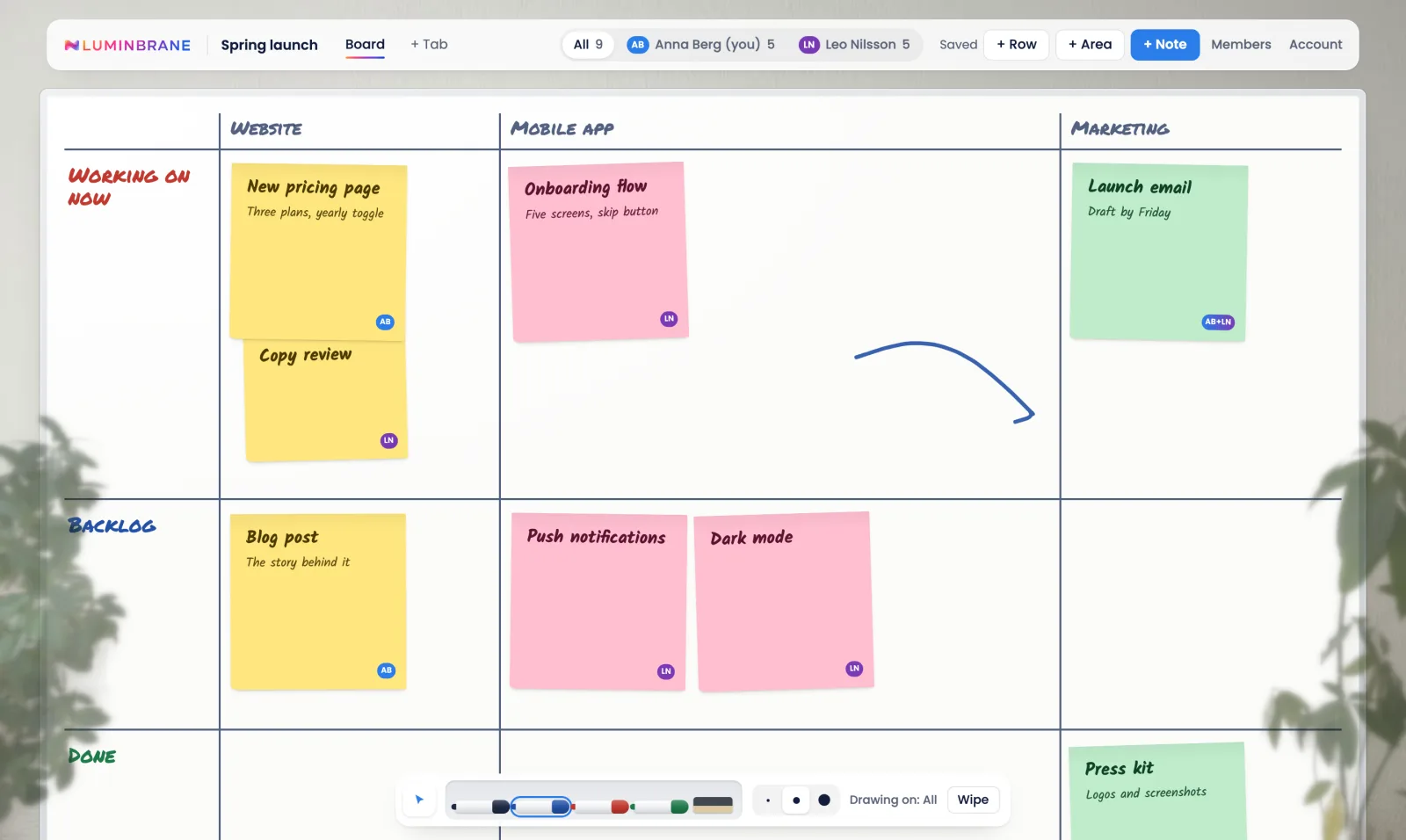
Post-its in rows and areas, a marker to draw with, and everyone who works with you on the same board. Built for small teams who plan together.
Free. Sign up with just your email address. Invited by a colleague? Use the link in your email.
Everything a wall of post-its does, and more
Post-its on a real grid
Rows for where work is, areas for what it is about. Drop a post-it anywhere in its area and it stays put. Each tab has its own colour, and its post-its follow it.
Drag, stack and park
Drag a note to move it, drop it on another note to make it a sub-note, or off the board to park it for later.
Draw on the board
Pick up a marker and sketch arrows and circles around your notes. Lines can hook onto notes and files and follow them when they move. Everyone gets a layer of their own, plus a shared one.
Files on the board
Drop in any file up to 100 MB. Images, video, audio and PDFs preview right on the board, and anything else downloads. Comment on a file, and link post-its to it.
Every tab at a glance
The overview puts all your tabs on one screen, as columns or side by side, and you can move a post-it from one tab to another.
Make it yours
Put your team's logo on the board, pick a handwritten or clean font and a note size, and keep the plants on the wall, hide them, or use your own pictures.
Invite your team
Owners, editors and viewers. Invite people by email; the link works once and expires after a week. Changes show up for everyone on the board straight away.
Secure sign-in
A one-time code by email, a password, or the code from your authenticator app. Owners can require two-factor sign-in for a whole board.
Your data stays yours
Hosted in Stockholm, and every board is locked down in the database itself. Download everything about you in one click, or delete your account at any time.
Questions
Who is Whiteboard for?
Small teams who plan together: founders, product teams and studios who want one shared board of what everyone is working on, without the weight of a full project tool.
What does it cost?
Nothing. Whiteboard is free for now. If we ever add paid plans, we will tell you in advance, and nothing will cost you money unless you choose it.
How do I get started?
Create an account with your email address. We send you a six-digit code, so there is no password to remember (you can add one later, and two-factor sign-in too). If a colleague invites you, the link in their email takes you straight to their board.
Does it work on a phone?
Yes. On a phone the board opens to fit the screen, and you pinch to zoom in. Hold a note for a moment to drag it, or switch to the list view to read the board as one column.
Can I add files?
Yes. Drop any file up to 100 MB onto a tab. Images, video, audio and PDFs show a preview on the board, your team can comment on them, and you can link post-its and lines to a file.
Where is my data stored, and who owns it?
In the EU, in Stockholm. What you put on a board is yours; we only host it. Access is checked by the database for every request, so a board is only ever visible to its members. You can download all your data or delete your account at any time, and the Privacy Policy says exactly what we keep and for how long.
Start a board with your team
Create your account, make a board and invite the people you work with.
Free for now. Read the Terms and the Privacy Policy.